Everyday tools / STUDENT PROJECT
Bens Super Cool Image Stabilizer.
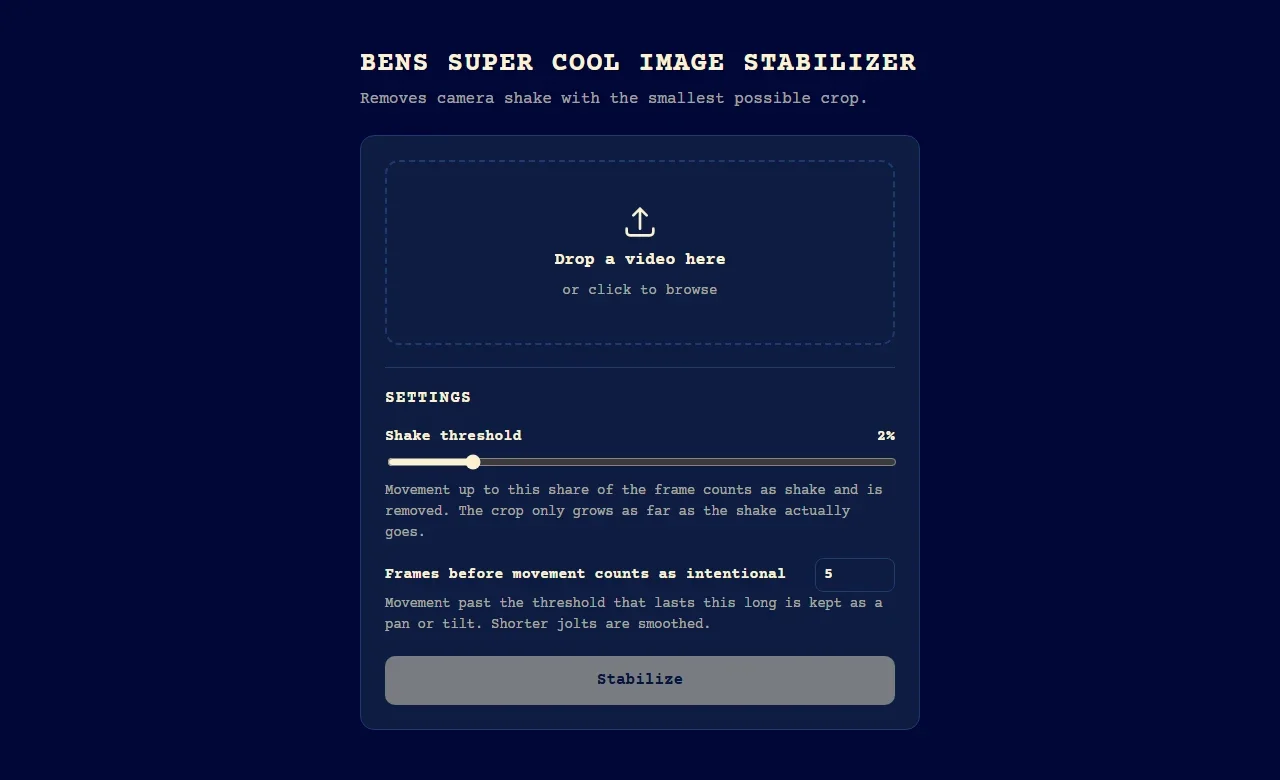
A desktop app that removes camera shake from my videos while cropping only as much as the shake needs, and keeps the pans I meant to make.
Problem
Handheld clips from my phone and camera always have some wobble. Most stabilizers fix it by zooming in a fixed amount, which throws away part of the frame even when the shake was tiny, and they can fight the pans I make on purpose. I wanted the opposite trade: remove only the small movements I didn't mean to make, keep the moves I did mean, and crop exactly as much as that takes and no more.
The build
A Rust program with a Windows desktop app. You drop a video in, it measures how the camera moved frame by frame, decides which movement is shake and which is intentional, and renders a steadied, cropped copy. Movement within a threshold (a percentage of the frame, 2% by default) counts as shake and is cancelled. Movement that stays past it for a few frames counts as a pan or tilt and passes through at full speed. The crop is the largest shake that actually happened on each axis, so a steady clip loses almost nothing. Motion is measured with phase correlation on a grid of tiles, keeping the motion most tiles agree on, so moving water or a passing person doesn't drag the estimate. The app shows the original and the result side by side in sync, reruns with different settings without measuring again, and deletes every file when I move on or close it. There is also a command-line tool, a local web version, and 32 automated tests.
AI use
Claude Code, Anthropic's coding agent, wrote almost all of the code: the motion tracking, the web server, the page and the desktop wrapper. I worked design first: before any code we wrote a design doc describing the workflow I wanted, then it implemented against that doc and tested on synthetic clips with known shake, so working meant a measured number matched rather than a video looking fine. When it changed the plan, it explained why and updated the doc first. My original rule held the correction at the threshold during a pan, and it found that would give every clip with a pan the full crop. For each bug I hit, it added a test that failed on the old code before fixing it.
Decisions
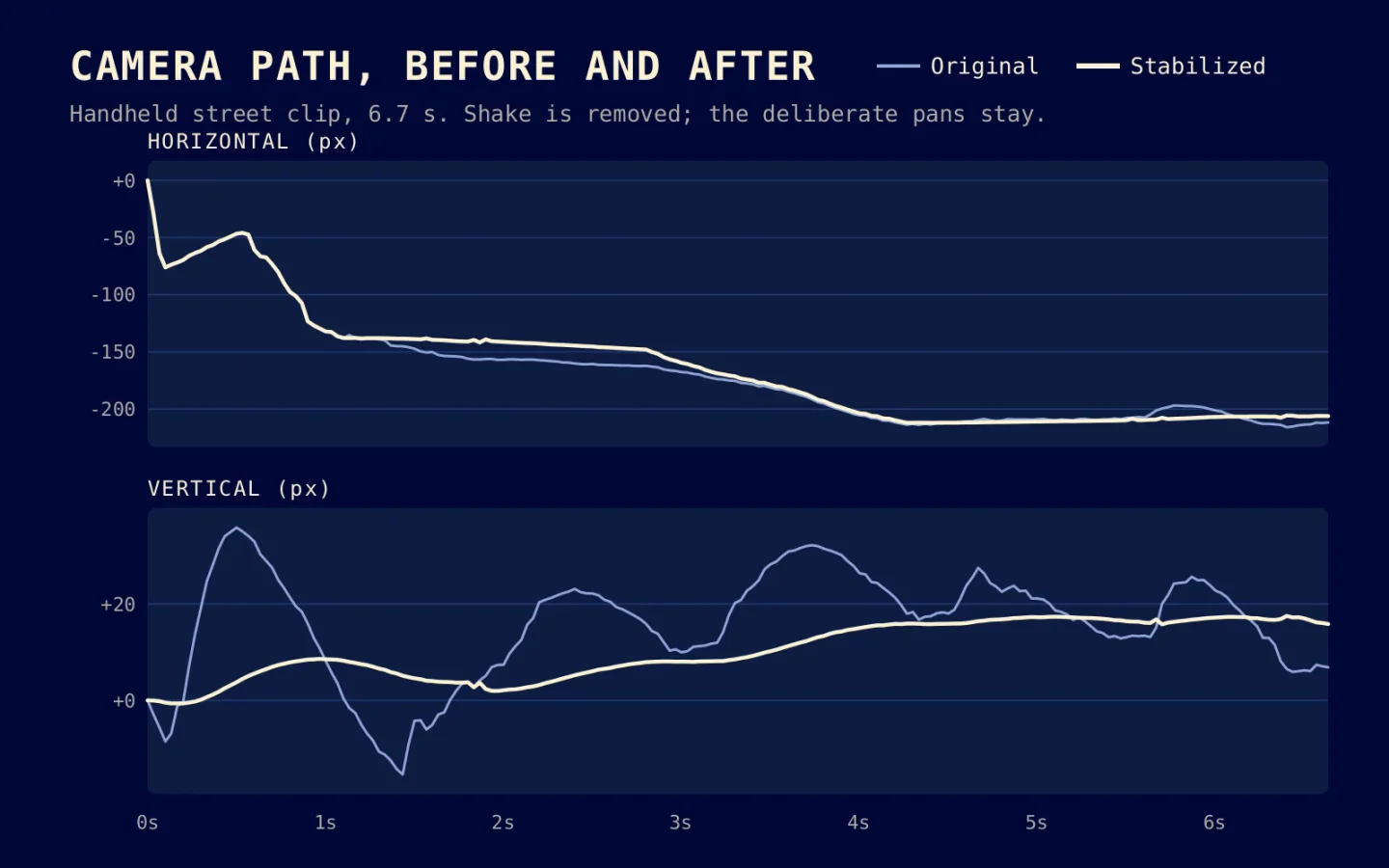
I set the rules: shake is anything within a percentage of the frame, the same for both axes; movement only counts as intentional after it stays past the threshold for several frames; the output keeps its cropped size instead of being scaled back up; and nothing stays on disk once I'm done with a video. I tested every build on my own footage, and that's where the real problems showed up: a telephoto beach clip where the stabilizer added shake because waves and a moving subject fooled the motion estimate, results that ended a couple of seconds early, phone clips coming out squashed or failing on iPhone spatial audio, and a preview that wouldn't stream. For each one I checked the fix on the same clip, comparing frame counts and re-measuring the stabilized output for leftover shake. On a handheld street clip, frame-to-frame shake dropped 3 to 7 times. I also chose the look: navy and cream with a screenplay font.
Limitations
It only corrects side-to-side and up-and-down shake, not rotation or zoom, and it doesn't remove shake during a pan. It needs something steady in view: on a shot of a person against moving water there is nothing fixed to measure, and it can still add small jumps. Processing takes about a minute per 10 seconds of 1080p video, longer for 4K. The Windows installer isn't code-signed, so SmartScreen warns on install, and building it needs WSL plus Rust on Windows. Jobs only last while the app is open.
Screenshots