
Everyday tools / STUDENT PROJECT
A Little Weather.
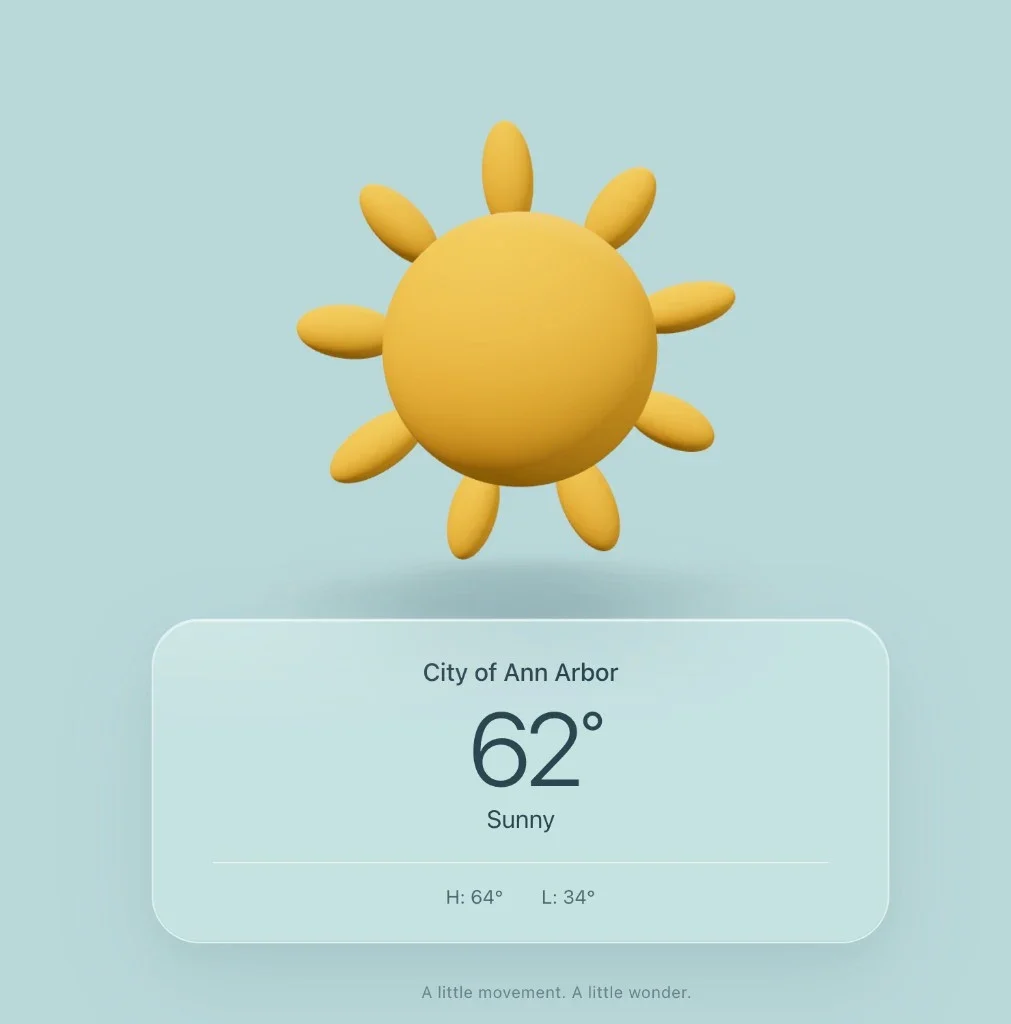
See today's weather with a 3D sculture.
Problem
Most weather apps give you a dense grid of numbers and icons when all you want to know is what it is like outside right now. I wanted a quieter way to check the weather, one that feels like a small object on your desk rather than a dashboard.
The build
A Little Weather asks for your location, then shows the current temperature, condition and the day's high and low beside a hand-built 3D sculpture. The sculpture changes with the weather: a sun, a cloud, a crescent moon at night, or a cloud with falling drops for rain, snow and storms. You can drag it to turn it, and it drifts back to its resting angle when you let go. Data refreshes every 15 minutes, and the Refresh button updates it right away. If you decline location access, it shows Ann Arbor, Michigan and tells you so. Every shape is generated in code, with no downloaded models or image assets.
AI use
I used Codex while building the app. It helped write the TypeScript and React code, including the 3D shapes and the weather lookups. The finished app does not use AI: it reads weather data from Open-Meteo and turns it into a sculpture with fixed rules.
Decisions
I chose the quiet, single-object design and the Ann Arbor fallback when location is unavailable. I also decided that no accounts, backend or location storage would be used, so your coordinates go directly from your browser to the weather and place-name services. I checked the work with automated tests for condition mapping, response validation and request parameters, and by comparing the sculpture against the real conditions in the live app.
Limitations
Weather comes from a single free provider, so it is only as accurate as that service. If it cannot be reached, values go blank or show the last successful reading. The city name comes from a separate free lookup and falls back to Your location if that fails. The 3D scene needs a browser with WebGL and may feel heavy on older phones. Location only works over a secure connection, and the app shows Fahrenheit only.